
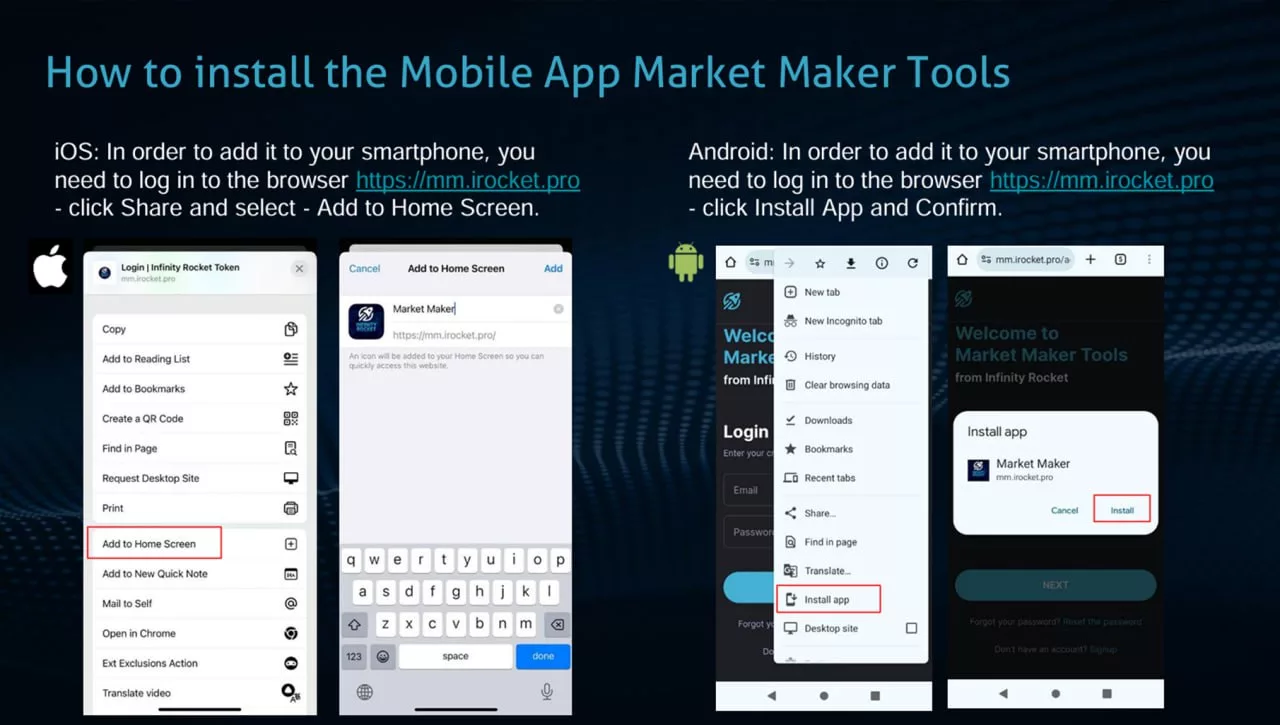
👉 How to install the Mobile App Market Maker Tools
📱iOS: In order to add it to your smartphone, you need to log in to the browser https://mm.irocket.pro – click “Share” and select -” Add to Home Screen”.
📱Android: In order to add it to your smartphone, you need to log in to the browser https://mm.irocket.pro – click “Install App” and “Confirm”.
➡️ Feel free to contact us anytime via Support bot: https://t.me/iRocket_Support_Bot
👉 Submit an application for connection and testing: https://mm.irocket.pro/account/signup/?source=site
⚠️ MM Tools Billing Plans and discounts: https://irocket.pro/-new-convenient-market-maker-tools-billing-plans.htm
© 2026, Infinity Rocket
